Give the buyer time to use the product
Sign in to save your progressOpen Campaigns → Automations → MailBeez Flows → Ask for product reviews. Read the arrows from the order trigger through the first invitation to its reminder. The screenshots show one example configuration.
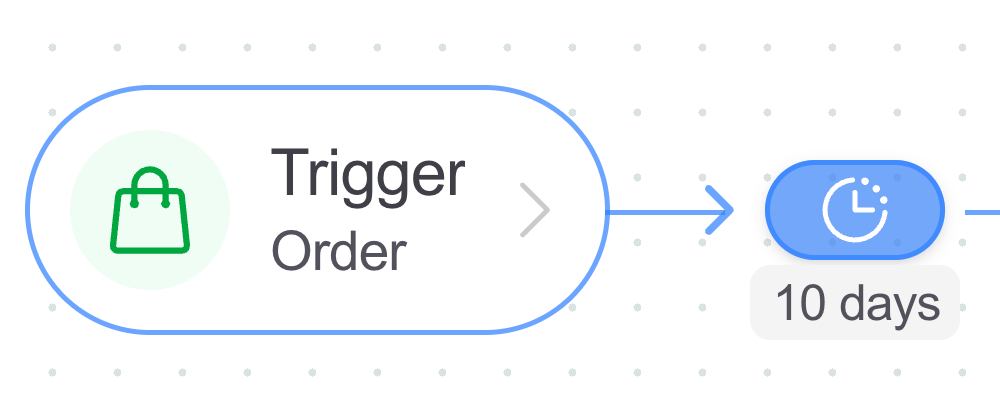
Under Options → Configure, choose Shipped as the Order Status Trigger. Set Wait after the order status changes to 10 days. If the order was placed on 1 June and shipped on 4 June, the first invitation can go out on 14 June.
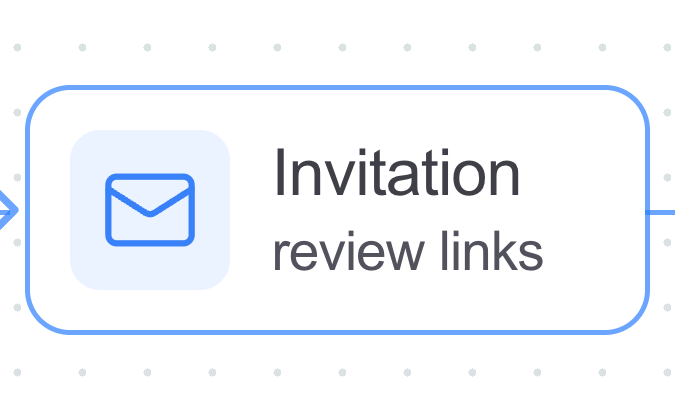
One invitation can cover several products. MailBeez fills in the eligible items from the buyer’s order. You write the invitation once.
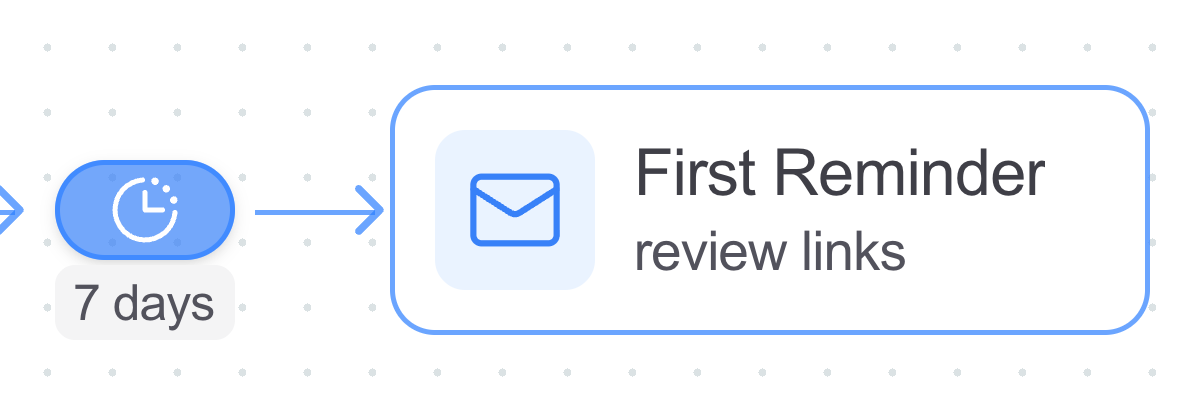
Choose Number of emails → 2 and Wait before email 2 → 7 days. Count those seven days from the actual first send. With one email, the sequence ends after the invitation. With three, set the third email’s delay from the second send.
Try it with your shop
Alex runs North Mill Coffee. A parcel usually reaches a buyer 3 days after the order enters Shipped. For a useful review of “Field hand grinder”, Mira wants to compare grind settings over a week of morning brews. Allow 7 full days after delivery for that experience.
In the review flow, open Options → Configure. Choose the shipping status under Order Status Trigger. The wait starts with that status change and applies to qualifying orders. Set the maximum age of the status change above the wait.
Try again. That is delivery day. Time to try the item starts then.
Correct. 3 days in transit plus 7 days of use gives 10 days from Shipped.
Try again. That counts the trial alone. The flow starts its clock when the order is marked Shipped.
Compare shop examples
- Coffee & equipment · North Mill Coffee
- Pet food & equipment · Paw & Pine
- Wine & cellarware · Terrace Cellars
- Clothing & care · Linden Knitwear
- Electronics & supplies · Pixel & Paper
Coffee & equipment · North Mill Coffee
Alex runs North Mill Coffee. A parcel usually reaches a buyer 3 days after the order enters Shipped. For a useful review of “Field hand grinder”, Mira wants to compare grind settings over a week of morning brews. Allow 7 full days after delivery for that experience.
In the review flow, open Options → Configure. Choose the shipping status under Order Status Trigger. The wait starts with that status change and applies to qualifying orders. Set the maximum age of the status change above the wait.
With shipment as day 0, on which day has Mira had the full trial period?
- Day 3. That is delivery day. Time to try the item starts then.
- Day 10. Correct. 3 days in transit plus 7 days of use gives 10 days from Shipped.
- Day 7. That counts the trial alone. The flow starts its clock when the order is marked Shipped.
Pet food & equipment · Paw & Pine
Sam runs Paw & Pine. A parcel usually reaches a buyer 4 days after the order enters Shipped. For a useful review of “Trail walking harness”, Lina wants to try the harness on short and long walks over eight days. Allow 8 full days after delivery for that experience.
In the review flow, open Options → Configure. Choose the shipping status under Order Status Trigger. The wait starts with that status change and applies to qualifying orders. Set the maximum age of the status change above the wait.
With shipment as day 0, on which day has Lina had the full trial period?
- Day 4. That is delivery day. Time to try the item starts then.
- Day 12. Correct. 4 days in transit plus 8 days of use gives 12 days from Shipped.
- Day 8. That counts the trial alone. The flow starts its clock when the order is marked Shipped.
Wine & cellarware · Terrace Cellars
Eva runs Terrace Cellars. A parcel usually reaches a buyer 4 days after the order enters Shipped. For a useful review of “Arc glass decanter”, Nico wants to use the decanter at two dinners and see how easily it pours and cleans. Allow 10 full days after delivery for that experience.
In the review flow, open Options → Configure. Choose the shipping status under Order Status Trigger. The wait starts with that status change and applies to qualifying orders. Set the maximum age of the status change above the wait.
With shipment as day 0, on which day has Nico had the full trial period?
- Day 4. That is delivery day. Time to try the item starts then.
- Day 14. Correct. 4 days in transit plus 10 days of use gives 14 days from Shipped.
- Day 10. That counts the trial alone. The flow starts its clock when the order is marked Shipped.
Clothing & care · Linden Knitwear
Tessa runs Linden Knitwear. A parcel usually reaches a buyer 3 days after the order enters Shipped. For a useful review of “Alder merino pullover”, Amir wants to wear the pullover several times and check the fit after its first wash. Allow 14 full days after delivery for that experience.
In the review flow, open Options → Configure. Choose the shipping status under Order Status Trigger. The wait starts with that status change and applies to qualifying orders. Set the maximum age of the status change above the wait.
With shipment as day 0, on which day has Amir had the full trial period?
- Day 3. That is delivery day. Time to try the item starts then.
- Day 17. Correct. 3 days in transit plus 14 days of use gives 17 days from Shipped.
- Day 14. That counts the trial alone. The flow starts its clock when the order is marked Shipped.
Electronics & supplies · Pixel & Paper
Ken runs Pixel & Paper. A parcel usually reaches a buyer 2 days after the order enters Shipped. For a useful review of “Pocket P2 photo printer”, Noor wants to pair the printer with a phone and compare a few prints in daylight. Allow 5 full days after delivery for that experience.
In the review flow, open Options → Configure. Choose the shipping status under Order Status Trigger. The wait starts with that status change and applies to qualifying orders. Set the maximum age of the status change above the wait.
With shipment as day 0, on which day has Noor had the full trial period?
- Day 2. That is delivery day. Time to try the item starts then.
- Day 7. Correct. 2 days in transit plus 5 days of use gives 7 days from Shipped.
- Day 5. That counts the trial alone. The flow starts its clock when the order is marked Shipped.