Add the reminder to the Monday email
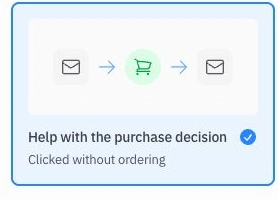
Sign in to save your progressOpen the Monday newsletter in Flow view. Open the menu on the warm-up email card and choose Create Follow Up. Check the Original email at the top. Choose Help with the purchase decision. Its trigger is a recorded click on that email. Its condition is that no order is recorded for that email.
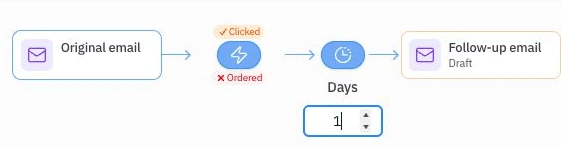
The preset starts at 7 days. Change Days to 1 for this early-access week. Then choose Create draft. In the inactive draft, replace the preview copy with a real comparison, such as “A small gift or the full set? Compare the contents”. Link to the comparison or the two available sets.
In the reminder’s schedule, choose Not later than under Sending ends and set an end date. A new follow-up can have an open end. For a Thursday-evening cutoff, also check the last permitted processing run: a date by itself cannot enforce a closing hour. Leave enough time after that run for someone to read, choose and order.
Worked example
A follow-up waits 24 hours after a click and excludes buyers with an order recorded for that email. A Tuesday 18:00 click is six hours short at Wednesday noon. Check again after Wednesday 18:00 and verify the order condition then.