Read the denominator before reporting a result
Sign in to save your progressOpen Reports → MailBeez → Contacts → Prospects. Choose the acquisition period you want to study. Acquisition by source shows how contacts entered the system, such as signup or import. Calculation details explains which identities and dates the report can use. The analytics cover all prospects, independently of filters on the contact list.
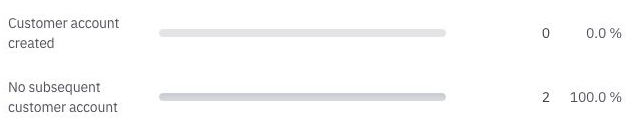
In the screenshot both contacts fall in No subsequent customer account. Try a different case. During April there were 40 eligible signups. By 31 May, eight had opened a later account. Calculate the rate, then write a sentence explaining what the eight people did.
Write the result as you would explain it to a colleague: “Of the 40 eligible April signups, eight (20%) had opened a customer account by 31 May.” To find out how many of those eight bought, you would need their orders. For the number of prospects remaining today, read current prospect stock. If the conversion rate is unavailable, report the gap in coverage and leave the rate open. Contact reports in the Guide
Worked example
Of 40 February prospects with verified histories, eight later register an account by the observation date. That cohort’s account conversion is 20%. Use the original 40 as the denominator even if today’s prospect list is larger.