Turn the tested audience into a two-email flow
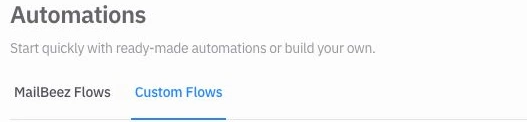
Sign in to save your progressOpen Campaigns → Automations → Custom Flows → New Automation. Assign the audience you tested. Give buyers one useful instruction from your guide on how to adjust the grind for the first cup. Link to the relevant page.
Open the first email’s menu in the flow view. Choose Create Follow Up → Next email, set Days to 2, then Create draft. Use the second email for a new task, such as checking the result after trying the first tip. The two-day wait starts when that customer was sent the first email. The audience must still match when the second step is evaluated.
On paper or in the inactive test flow, trace two buyers. The first email goes out on purchase day 5 for one buyer and day 10 for the other. Mark the follow-up due date for each before checking the original 4–10-day audience. Open both guide links from test emails on your phone. Decide whether the second tip is optional or whether every buyer needs it. Custom Flows · Post-purchase email series
Try it with your shop
Under Campaigns → Automations → Custom Flows, create an inactive draft and assign the tested audience. Alex wants the buyer to be able to reorder the exact pack in one visit. The draft button says “Reorder the 1 kg house espresso”.
Open the link from a test email on a phone. Read the product and selected size before adding anything to the cart. On paper, specify what the shopper must see to fulfil the promise on the button.
Correct. The destination matches both the purchase rule and the button. Keep that test with the draft.
Try again. The size is part of the promise and the audience rule. Check the selected variant.
Try again. Product advice is useful in its own flow. This email promises a particular refill.
Worked example
The audience covers days 6–12 after purchase. Two buyers get email one on days 7 and 11. After a three-day wait, check membership again. Day 10 is inside the window. Day 14 is outside, so that buyer misses the follow-up.
Compare shop examples
- Coffee & equipment · North Mill Coffee
- Pet food & equipment · Paw & Pine
- Wine & cellarware · Terrace Cellars
- Clothing & care · Linden Knitwear
- Electronics & supplies · Pixel & Paper
Coffee & equipment · North Mill Coffee
Open Campaigns → Automations → Custom Flows → New Automation. Assign the audience you tested. Give buyers one useful instruction from your guide on how to adjust the grind for the first cup. Link to the relevant page.
Under Campaigns → Automations → Custom Flows, create an inactive draft and assign the tested audience. Alex wants the buyer to be able to reorder the exact pack in one visit. The draft button says “Reorder the 1 kg house espresso”.
Open the link from a test email on a phone. Read the product and selected size before adding anything to the cart. On paper, specify what the shopper must see to fulfil the promise on the button.
Which destination fulfils this draft’s promise?
- “House espresso · 1 kg”, with the advertised size selected. Correct. The destination matches both the purchase rule and the button. Keep that test with the draft.
- “House espresso · 250 g”, because the product family matches. The size is part of the promise and the audience rule. Check the selected variant.
- The instructions for “Field hand grinder”. Product advice is useful in its own flow. This email promises a particular refill.
Pet food & equipment · Paw & Pine
Open Campaigns → Automations → Custom Flows → New Automation. Assign the audience you tested. Give buyers one useful instruction from your guide on how to adjust the harness before the first walk. Link to the relevant page.
Under Campaigns → Automations → Custom Flows, create an inactive draft and assign the tested audience. Sam wants the buyer to be able to reorder the exact pack in one visit. The draft button says “Reorder the 4 kg Meadow kibble”.
Open the link from a test email on a phone. Read the product and selected size before adding anything to the cart. On paper, specify what the shopper must see to fulfil the promise on the button.
Which destination fulfils this draft’s promise?
- “Meadow kibble · 4 kg”, with the advertised size selected. Correct. The destination matches both the purchase rule and the button. Keep that test with the draft.
- “Meadow kibble · 1 kg”, because the product family matches. The size is part of the promise and the audience rule. Check the selected variant.
- The instructions for “Trail walking harness”. Product advice is useful in its own flow. This email promises a particular refill.
Wine & cellarware · Terrace Cellars
Open Campaigns → Automations → Custom Flows → New Automation. Assign the audience you tested. Give buyers one useful instruction from your guide on how to pour from the decanter without dripping. Link to the relevant page.
Under Campaigns → Automations → Custom Flows, create an inactive draft and assign the tested audience. Eva wants the buyer to be able to reorder the exact pack in one visit. The draft button says “Reorder 6 bottles of Hillside Riesling”.
Open the link from a test email on a phone. Read the product and selected size before adding anything to the cart. On paper, specify what the shopper must see to fulfil the promise on the button.
Which destination fulfils this draft’s promise?
- “Hillside Riesling · 6 bottles”, with the advertised size selected. Correct. The destination matches both the purchase rule and the button. Keep that test with the draft.
- “Hillside Riesling · 2 bottles”, because the product family matches. The size is part of the promise and the audience rule. Check the selected variant.
- The instructions for “Arc glass decanter”. Product advice is useful in its own flow. This email promises a particular refill.
Clothing & care · Linden Knitwear
Open Campaigns → Automations → Custom Flows → New Automation. Assign the audience you tested. Give buyers one useful instruction from your guide on how to dry the pullover flat after washing. Link to the relevant page.
Under Campaigns → Automations → Custom Flows, create an inactive draft and assign the tested audience. Tessa wants the buyer to be able to reorder the exact pack in one visit. The draft button says “Reorder the 12-sachet wool wash”.
Open the link from a test email on a phone. Read the product and selected size before adding anything to the cart. On paper, specify what the shopper must see to fulfil the promise on the button.
Which destination fulfils this draft’s promise?
- “Wool wash · 12 sachets”, with the advertised size selected. Correct. The destination matches both the purchase rule and the button. Keep that test with the draft.
- “Wool wash · 3 sachets”, because the product family matches. The size is part of the promise and the audience rule. Check the selected variant.
- The instructions for “Alder merino pullover”. Product advice is useful in its own flow. This email promises a particular refill.
Electronics & supplies · Pixel & Paper
Open Campaigns → Automations → Custom Flows → New Automation. Assign the audience you tested. Give buyers one useful instruction from your guide on how to pair the P2 printer with a phone. Link to the relevant page.
Under Campaigns → Automations → Custom Flows, create an inactive draft and assign the tested audience. Ken wants the buyer to be able to reorder the exact pack in one visit. The draft button says “Reorder 50 sheets of P2 photo paper”.
Open the link from a test email on a phone. Read the product and selected size before adding anything to the cart. On paper, specify what the shopper must see to fulfil the promise on the button.
Which destination fulfils this draft’s promise?
- “P2 photo paper · 50 sheets”, with the advertised size selected. Correct. The destination matches both the purchase rule and the button. Keep that test with the draft.
- “P2 photo paper · 20 sheets”, because the product family matches. The size is part of the promise and the audience rule. Check the selected variant.
- The instructions for “Pocket P2 photo printer”. Product advice is useful in its own flow. This email promises a particular refill.