Give subscribers an interest they recognize
Sign in to save your progressYour old signup form offered First brews and New arrivals. You are moving those choices into MailBeez. Someone who asked for “First brews” should be able to recognize that name and change their preference later.
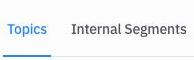
Open Contacts → Topics. Under Topics, look for First brews. If it already exists, use it. Otherwise choose New Topic, give it that name and check how it appears on the signup form. Internal Segments is for groupings that only your team uses, such as a shop’s trade-fair follow-up list.
For practice, use a test shop or work through the examples on paper. Pick one choice a subscriber should see and one grouping only your team needs. Decide where each belongs before importing any addresses. Topics in the Guide
Worked example
An export contains people who chose Workshops and others who chose Stock alerts. Split the rows by documented choice and select the corresponding topic for each import. Check one address from each file in the resulting topic.
Compare shop examples
- Coffee & equipment · North Mill Coffee
- Pet food & equipment · Paw & Pine
- Wine & cellarware · Terrace Cellars
- Clothing & care · Linden Knitwear
- Electronics & supplies · Pixel & Paper
Coffee & equipment · North Mill Coffee
Your old signup form offered First brews and New arrivals. You are moving those choices into MailBeez. Someone who asked for “First brews” should be able to recognize that name and change their preference later.
Open Contacts → Topics. Under Topics, look for First brews. If it already exists, use it. Otherwise choose New Topic, give it that name and check how it appears on the signup form. Internal Segments is for groupings that only your team uses, such as a shop’s trade-fair follow-up list.
Pet food & equipment · Paw & Pine
Your old signup form offered Walking tips and New arrivals. You are moving those choices into MailBeez. Someone who asked for “Walking tips” should be able to recognize that name and change their preference later.
Open Contacts → Topics. Under Topics, look for Walking tips. If it already exists, use it. Otherwise choose New Topic, give it that name and check how it appears on the signup form. Internal Segments is for groupings that only your team uses, such as a shop’s trade-fair follow-up list.
Wine & cellarware · Terrace Cellars
Your old signup form offered Serving wine and New arrivals. You are moving those choices into MailBeez. Someone who asked for “Serving wine” should be able to recognize that name and change their preference later.
Open Contacts → Topics. Under Topics, look for Serving wine. If it already exists, use it. Otherwise choose New Topic, give it that name and check how it appears on the signup form. Internal Segments is for groupings that only your team uses, such as a shop’s trade-fair follow-up list.
Clothing & care · Linden Knitwear
Your old signup form offered Knitwear care and New arrivals. You are moving those choices into MailBeez. Someone who asked for “Knitwear care” should be able to recognize that name and change their preference later.
Open Contacts → Topics. Under Topics, look for Knitwear care. If it already exists, use it. Otherwise choose New Topic, give it that name and check how it appears on the signup form. Internal Segments is for groupings that only your team uses, such as a shop’s trade-fair follow-up list.
Electronics & supplies · Pixel & Paper
Your old signup form offered Printing tips and New arrivals. You are moving those choices into MailBeez. Someone who asked for “Printing tips” should be able to recognize that name and change their preference later.
Open Contacts → Topics. Under Topics, look for Printing tips. If it already exists, use it. Otherwise choose New Topic, give it that name and check how it appears on the signup form. Internal Segments is for groupings that only your team uses, such as a shop’s trade-fair follow-up list.