Make your shop recognizable

Sign in to save your progress

Imagine opening a birthday email from your own shop on a phone. Before reading the offer, would you recognize who sent it? The main template gives many campaigns the same header, menu and footer.

Prepare one design for two screens

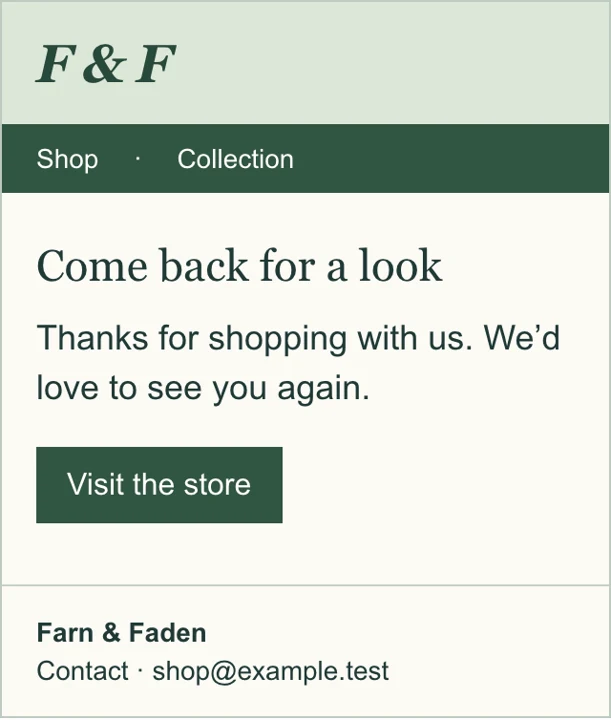
Open Content → Main Templates → Main Designs in your test shop. Choose the design your campaigns use. Add a wide header image for desktop and a compact version for mobile. Pick the top menu bar color, check that the links are readable, and add the shop name and contact details to the footer.
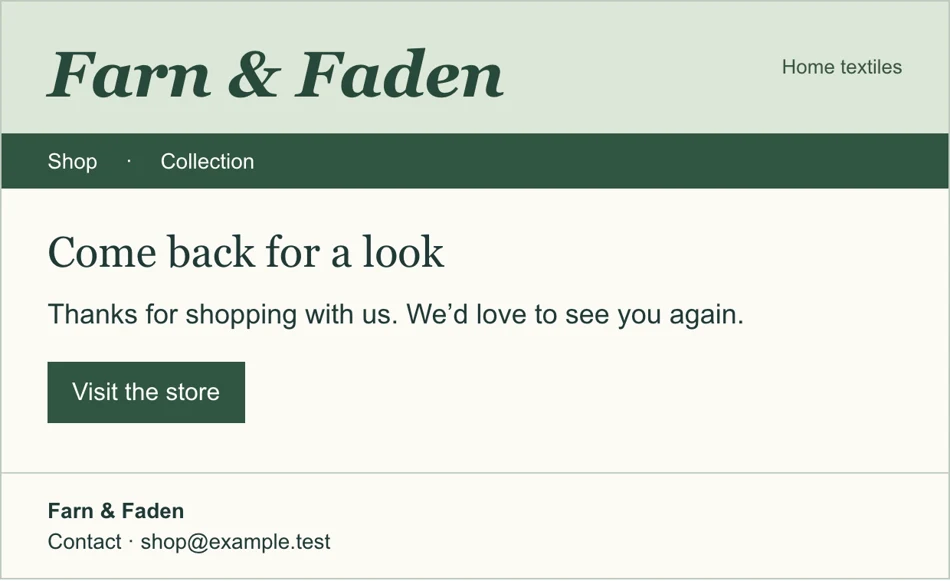
Example desktop email with the full Farn & Faden name above a green menu and contact details in the footer.

The same example at phone width, with a compact F & F header above the invitation.

Check your own email

Send a test copy to yourself. Open it on a phone and a desktop. Can you read the shop name in each header, tap a menu link and find a usable contact address in the footer? Keep the design name and the two previews. On paper, draw what changes between the headers and write out the footer.

Guide to main templates

Bring past customers back with a ready-made flow
Prepare your shop for MailBeez email
Ask for a product review after delivery
Celebrate the day a customer joined
Send birthday wishes at the right time
Keep checkout test addresses out of mailings
Give a module a sending window
Choose customer groups for a mailing
Tell prospects, customers and buyers apart
Answer a customer with Customer Insight
Build, test and use a product audience
Import contacts into a newsletter topic
Build a custom flow from purchase history
Plan a Black Friday warm-up with follow-ups
Send one newsletter for a seasonal event
Choose your next automation from shop data
Explain a change in newsletter clicks
Help a shopper place their first order
Test newsletter signup as a shopper
What did this customer unsubscribe from?
Write a welcome email with an optional coupon
No results found